AirFreek
Independent radio, wherever you are.
College stations, community broadcasters, and internet radio with a pulse — curated by a human, streamed to your iPhone, your Android, your watch, or your dashboard, with visualizers that actually move to the music. No ads. No accounts. No tracking.


Free. iPhone, iPad, Android, Apple Watch, CarPlay, and Android Auto.
What it does
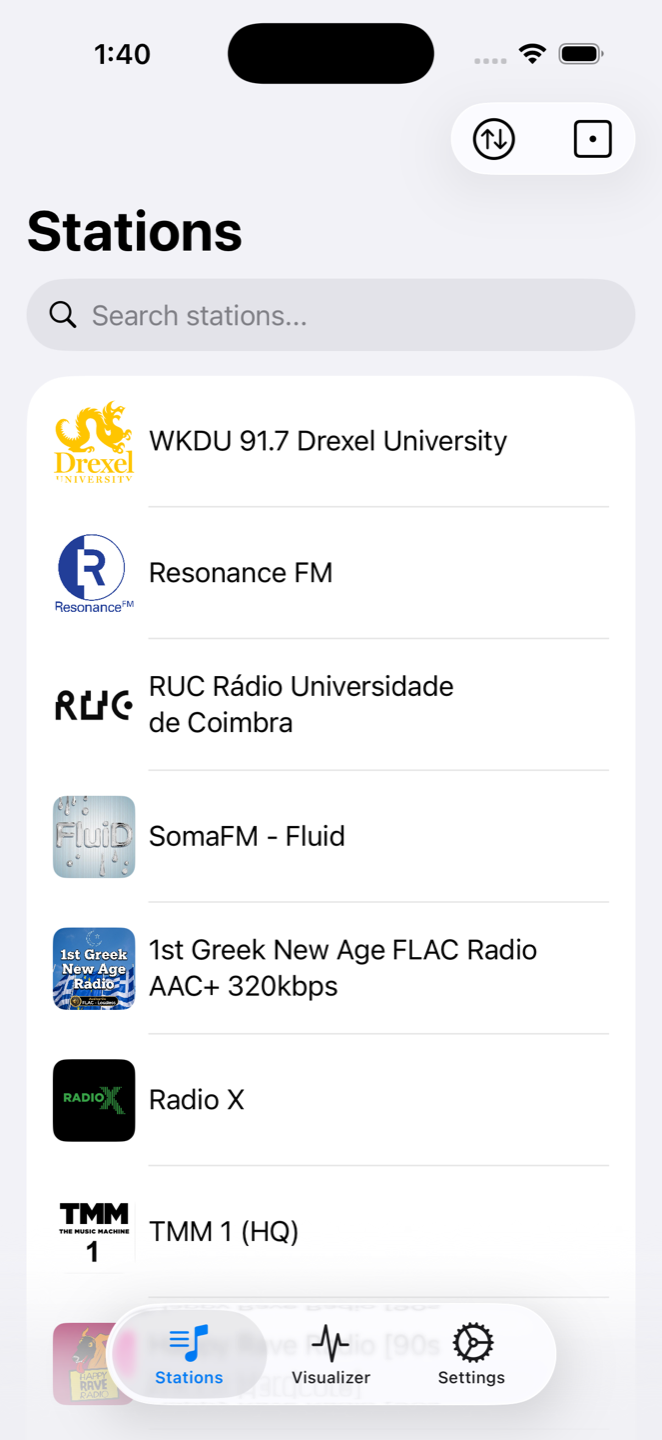
- 180+ stations — college, community, and independent radio from around the world, plus any stream URL you add yourself.
- Name that track — identifies songs straight from the stream, even on stations that don't publish song info.
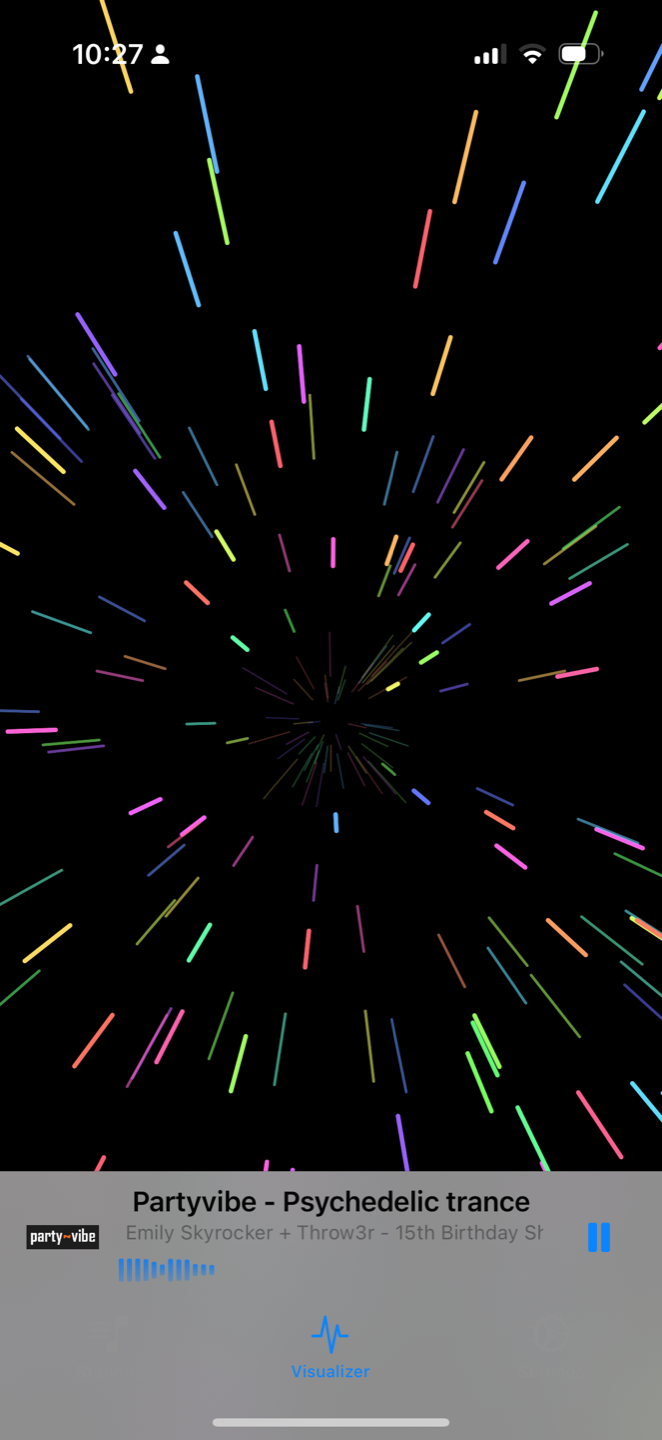
- Live visualizers — spectrum bars, waterfall, particles, warp. Rendered in real time from the audio, not canned loops.
- Volume leveling — quiet stations and loud stations meet in the middle, automatically.
- CarPlay & Android Auto — full station list, artwork, and now-playing on your dash.
- Sort it your way — shuffle, most played, A to Z, or by genre. Search everything.
On your wrist
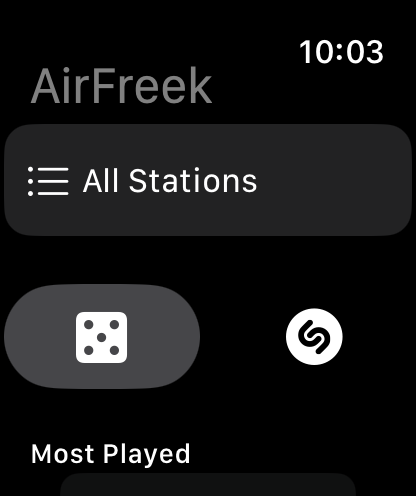
The whole app fits on an Apple Watch. Cellular models stream on their own — leave the phone at home and take 180 stations on your run.
Your favorites and most-played stations sync over automatically, the Digital Crown handles volume, and a roll of the dice plays something new. You can even identify songs from the watch — from the stream itself or by listening to the room.
Questions
- How do I add my own station?
- Settings, then Add Station. Paste a stream URL, give it a name, and it joins your list once the stream tests OK.
- Why won't a station play?
- Internet radio is a living thing — stations go offline, move their streams, or take breaks. Try another one and check back later.
- How do I change visualizers?
- Tap anywhere on the visualizer to bring up the switcher at the top of the screen — that's also where you take it full screen.
- How does song identification work?
- It listens to the stream itself and matches against Apple's Shazam catalog. Nothing is recorded, and your radio never stops playing.
- Does the watch app need my phone nearby?
- No — on cellular watches it streams on its own. Favorites and history sync back up whenever your phone is in range.